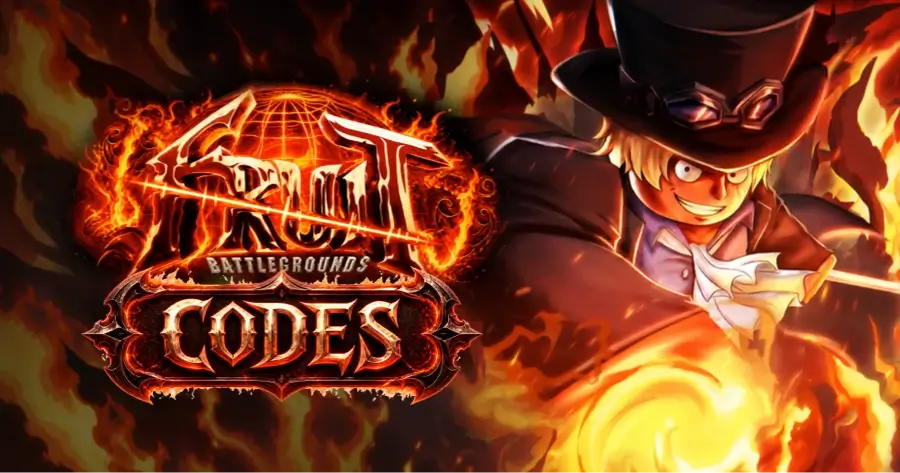
Fruit Battlegrounds is an action-packed fighting game on Roblox that has [**received over 1 billion visits**](https://www.rolimons.com/game/9224601490). Whether you’re a new player just getting started or a regular player, gems, spins, powerful fruits, and other rewards can help you progress faster and unlock more exciting content.
Fruit Battlegrounds is an action-packed fighting game on Roblox that has received over 1 billion visits. Whether you’re a new player just getting started or a regular player, gems, spins, powerful fruits, and other rewards can help you progress faster and unlock more exciting content.
These rewards can usually be obtained for free through Roblox Fruit Battlegrounds codes. In this article, we’ve compiled all currently available Fruit Battlegrounds codes, along with detailed redemption instructions. We’ve also listed all expired codes for reference. Since codes may expire at any time, we will continue updating this page regularly, so we recommend bookmarking it and checking back often.
If you want to progress faster while saving money, you can buy Robux from GamsGo at a 25% discount and use it to unlock more in-game content or other paid items on the Roblox platform.
Buy NowBuy NowBuy NowBuy NowBuy Now10% OFF10% OFF10% OFF10% OFF10% OFF
All Active Fruit Battlegrounds Codes for August 2026
Unlike some Roblox titles, Fruit Battlegrounds codes are released directly by the developer, Zak (@ZakSSJ), usually to celebrate a follower count, a like goal, or a fresh content update. They are entered in-game rather than on any external website.
The following codes were reported as working as of mid-August 2026. Fruit Battlegrounds codes are typically one-use-per-account and can be capped or patched out with little warning, so claim them as soon as possible.
| Code | Reward | Where to Claim | Status |
|---|---|---|---|
| HIGHER1M120K | Gems | In-game code box (Spin Fruit chest) | New! Reported active in August 2026 |
| YOO1M110K! | Gems | In-game code box (Spin Fruit chest) | Reported active in August 2026 |
| OMGUPDATE22 | Gems | In-game code box (Spin Fruit chest) | Reported active in August 2026, may expire soon |
Quick heads up: a few other codes — including BIGMILLIHUNNID!, ITSTHEBILLION!, and CODEFIX — are still showing as "active" on some tracker sites, but multiple recent reports mark them as expired. Try them first if the codes above don't work, but don't count on them.
We'll keep this page updated and continue collecting newly released valid codes.
🎁 Also playing other games? Check out our latest code guides:
- ✦ FC Mobile Codes for free gems, coins, and more
- ✦ BLEACH: Soul Resonance Redeem Codes for free Kan, Spiritual Jades, and more
- ✦ ACECRAFT Codes for free Pappo Fruits, Gold, Diamonds, and more
Expired Fruit Battlegrounds Codes
Here are recently expired Fruit Battlegrounds codes that are no longer valid and can no longer be redeemed, for your reference.
- 1M60WOWZER:Previously redeemable for Gems.
- 1M50INSANE:Previously redeemable for Gems.
- MILLI90SWAG:Previously redeemable for Gems.
- FLYING1M80K:Previously redeemable for Gems.
- AYY1M30!:Previously redeemable for 600 Gems.
- CRASHL4NDING:Previously redeemable for 500 Gems.
- THANKSFORDAMILLY:Previously redeemable for 500 Gems.
How to Redeem Fruit Battlegrounds Codes
You can redeem Fruit Battlegrounds codes directly inside the game. There is no external redemption website.
- Open Roblox and launch Fruit Battlegrounds.
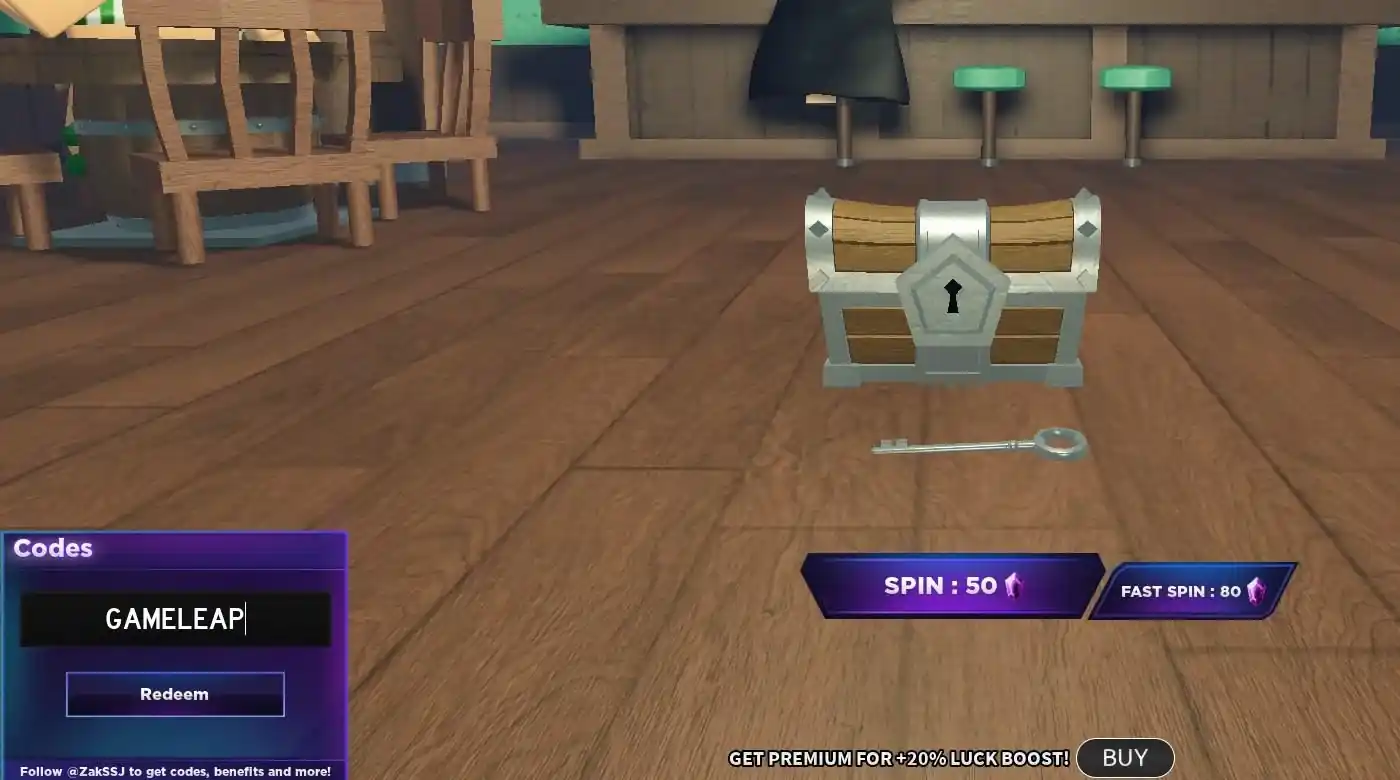
- From the main menu, select Spin Fruit to enter the fruit shop area.
- Click on the treasure chest in the middle of the room to open the codes window.
- Paste the code into the box in the bottom-left corner and hit Redeem.
How to Redeem a Roblox Star Code
Before purchasing Robux or a Roblox Premium membership, you can enter a Roblox Star Code to support your favorite creator at no additional cost. The creator will receive a commission from your purchase, while the price you pay and the amount of Robux you receive remain unchanged. Follow the steps below to redeem a Star Code.
- Open the Robux or Premium purchase page in your browser (Star Codes aren't supported in the mobile app).
- Choose the Robux amount or Premium plan you want to buy.
- Click "Click Here" next to the Star Code option, enter the creator's code, and click Add.
- Complete your purchase — the creator receives their commission automatically.
Once the Star Code has been added successfully, the selected creator will automatically receive credit when you complete the purchase. Always double-check that the correct creator is displayed before paying, as entering a Star Code does not provide discounts, free Robux, or additional in-game rewards.
Why Isn't My Fruit Battlegrounds Code Working?
If you're having trouble redeeming a code in Fruit Battlegrounds, it's usually due to one of the reasons below:
- The code has expired
Fruit Battlegrounds codes are almost always tied to a temporary milestone or promotion and are patched out once the developer decides to retire them, sometimes within days.
- You already redeemed it
Most codes can only be claimed once per account. If you've used it before, re-entering it will return an error even though the code is technically still live for other players.
- Typo or extra characters
Fruit Battlegrounds codes are case-sensitive and often include symbols like "!" — copy and paste them directly instead of typing them out.
- Server or connection issues
During high-traffic periods after a new code drops, redemption can briefly fail. Rejoin the game or try a different server.
- Confusing a Star Code with an in-game code
Star Codes (see above) are entered on the Robux purchase page to support a creator — they do not grant in-game rewards and won't work in the code chest.
If you've followed all the steps correctly and are still having issues, check the official Fruit Battlegrounds Discord server for outage announcements or reach out through Roblox's in-game report tools.
How to Get More Fruit Battlegrounds Codes & Rewards
Fruit Battlegrounds codes are often released during game updates, special events, and community milestones. Because some codes expire without warning, following the game’s official channels and checking reliable code lists regularly will help you avoid missing free gems and other rewards.
- Follow the developer's official channels
New codes are usually announced first on the developer's X (Twitter) account, on the YouTube channel, and in the official Discord server.
- Join the Discord community
Codes tied to subscriber or like milestones tend to surface fastest in the Discord's announcement channel, often before they hit fan guide sites.
- Bookmark our updates
We continuously track the active code list, verify status where possible, and refresh this guide — so you spend less time searching and more time spinning for fruits.
By keeping an eye on these sources, you’ll have a better chance of claiming new Fruit Battlegrounds codes before they expire. Remember that codes are case-sensitive, so enter them exactly as shown and redeem them as soon as possible.
Fruit Battlegrounds Latest Update (August 2026)
Fruit Battlegrounds is currently tagged [OPE V2] in its Roblox listing, reflecting its most recent major content drop: the awakened Ope V2 fruit. Reported additions and changes from the latest update cycle include:
- **Ope V2 awakening:**A mythical-tier fruit awakening with a new "mode" mechanic that reworks its abilities and unlocks new moves.
- **Moveset switching:**Players who reach max level can swap between the original Ope and its awakened Ope V2 moveset via an NPC.
- **Fruit rebalancing:**Multiple fruits received buffs or nerfs alongside the update, along with mobile control fixes and general bug fixes.
Note: patch specifics can shift between reports — check the in-game update log or the official Discord for the exact current patch notes before relying on details here.
Stay Updated on Fruit Battlegrounds with GamsGo
That wraps up the latest working Fruit Battlegrounds codes for August 2026. Be sure to redeem them before they go inactive to claim free Gems, boosts, and other rewards—everything you need to unlock fruits, upgrade your character, and improve your battle experience.
If you want to further boost your Fruit Battlegrounds experience with premium content, GamsGooffers safe and convenientRoblox top-upservices, including Robux and premium bundles, with better long-term value options.
👉️VisitGamsGonow and unlock a smoother, more rewarding Fruit Battlegroundsexperience.
FAQ about Fruit Battlegrounds Codes
Does Fruit Battlegrounds Have an Official Redeem Website?
No. Unlike some mobile games, Fruit Battlegrounds codes are entered entirely inside Roblox, through the codes chest in the Spin Fruit area. There's no separate web portal for redemption.
Where Do You Enter Codes in Fruit Battlegrounds?
Open Spin Fruit from the main menu, click the treasure chest, then type or paste your code into the box in the bottom-left corner and hit Redeem.
How Do I Get Free Gems in Fruit Battlegrounds?
Redeem active codes as soon as they're released, complete daily quests and login rewards, level up, and take part in seasonal events. Gems are also earned steadily through normal gameplay and boss fights.
What Are the Best Tips for New Fruit Battlegrounds Players?
Focus on leveling one fruit at a time rather than spreading Gems thin, prioritize quests for steady rewards, save Gems for awakenings instead of early rerolls, and join an active server community for grinding partners.
Related Articles:
Once Human All Active Redeem Codes
ARC Raiders All Active Redeem Codes
Chaos Zero Nightmare All Active Codes
Duet Night Abyss All Active Codes
Whiteout Survival All Active Gift Codes