
On August 13, 2026, Google officially released Gemini 3.7 Flash, the latest Stable Gemini Flash model. Compared with previous Flash models, it further improves Coding, Software Engineering, Web Development, and AI Agent capabilities, making it especially suitable for applications that need to perform complex, multi-step tasks.
On August 13, 2026, Google officially released Gemini 3.7 Flash, the latest Stable Gemini Flash model. Compared with previous Flash models, it further improves Coding, Software Engineering, Web Development, and AI Agent capabilities, making it especially suitable for applications that need to perform complex, multi-step tasks.
If you use the Gemini API regularly, knowing the latest model is not enough. Pricing and use cases vary significantly across models, and different options are better suited to tasks ranging from complex Coding and AI Agents to translation, classification, and large-scale data processing.
This guide covers the latest Gemini API pricing, models, and plans, compares the prices, capabilities, and ideal users of different models, and explains practical ways to save money so you can quickly understand the key Gemini API information.
Want to lower your Gemini API costs even further? In addition to choosing the right model and pricing mode, you can also check GamsGo's Gemini API deals, where you can flexibly choose the usage allowance and model that fit your needs. Click the banner below to see whether there is a lower-cost API option that suits you better.
What is the Gemini API?
The Gemini API is an AI interface from Google for developers. It lets you integrate Gemini models into websites, apps, AI assistants, Coding tools, customer service systems, and automated workflows.
It is different from the Gemini App used directly by regular users. The Gemini App is better suited to everyday conversations and Google's built-in AI features, while the Gemini API is mainly for developers who need to integrate AI into their own products or businesses.
With the Gemini API, you can process text, code, images, PDFs, audio, and video, and use features such as Function Calling, Code Execution, Google Search Grounding, File Search, Structured Outputs, and Thinking.
What is the Difference Between Gemini API Standard, Batch, Flex, and Priority?
After choosing a Gemini model, you also need to decide which Processing Mode to use. The Gemini API currently offers Standard, Batch, Flex, and Priority, which mainly differ in price, response speed, and reliability.
| Mode | Response Time | Price Level | Best For |
|---|---|---|---|
| Standard | Usually a few seconds to a few minutes | Standard price | Everyday development, chatbots, Coding tools, and standard real-time applications |
| Batch | Asynchronous processing, up to 24 hours | Usually about 50% lower than Standard | Large-scale translation, classification, data processing, and offline tasks |
| Flex | Usually about 1–15 minutes | Usually about 50% lower than Standard | Tasks that do not require an immediate response but still need synchronous calls |
| Priority | Targets response times in seconds | Usually 75%–100% higher than Standard | High-traffic, user-facing core production applications |
In simple terms, if you are an individual developer or working on a typical project, start with Standard. For large volumes of offline tasks, consider Batch first. If you can wait a few minutes and want to reduce costs, choose Flex. For high-traffic production applications that require faster responses and greater reliability, consider Priority.
Gemini API Pricing 2026: Price Comparison Across Models
Gemini API pricing cannot be judged by Standard rates alone. The same model can also be called through Standard, Batch, Flex, and Priority, and these modes differ significantly in Token pricing, response speed, and suitable use cases.
The model worth focusing on first is Gemini 3.7 Flash. It is the latest Stable Flash model, with upgrades from Google focused mainly on Coding, AI Agents, and complex multi-step execution. If you are planning a new Gemini API integration, understanding the full pricing structure of 3.7 Flash is more useful than comparing only the Standard rates of different models.
Gemini 3.7 Flash 2026 Pricing
| Mode | Input Price | Output Price | Cached Input | Response | Recommended Use |
|---|---|---|---|---|---|
| Standard | $0.75 / 1M | $3.75 / 1M | $0.075 / 1M | A few seconds to a few minutes | Chatbots, Coding, AI Assistants, and standard real-time APIs |
| Batch | $0.375 / 1M About 50% savings | $1.875 / 1M | $0.0375 / 1M | Asynchronous processing, up to about 24 hours | Batch translation, data processing, model evaluation, and large-scale offline tasks |
| Flex | $0.375 / 1M About 50% savings | $1.875 / 1M | $0.0375 / 1M | Target: about 1–15 minutes | Background Agents, data enrichment, and non-urgent sequential workflows |
| Priority | $1.35 / 1M Premium Tier | $6.75 / 1M | $0.135 / 1M | Targets response times in seconds | Paid SaaS, core online features, and high-priority production applications |
Pricing note: Gemini 3.7 Flash currently uses 2026 introductory pricing, valid through December 31, 2026. Starting January 1, 2027, Standard will increase to $1.50/1M Input Tokens and $7.50/1M Output Tokens; Batch and Flex will increase to $0.75/$3.75, and Priority to $2.70/$13.50.
The most important point in this pricing is not which mode is "the cheapest," but that the same Gemini 3.7 Flash model can have cost differences approaching 2× or more depending on how it is called.
Batch and Flex currently cost only half as much as Standard for both Input and Output, but they solve different problems. Batch is better for submitting large numbers of tasks at once and waiting for the results, such as batch translation, product data processing, and model evaluation.
Flex is still suitable for workflows with dependencies between steps, but it allows longer wait times.
This means that if you have already confirmed that Gemini 3.7 Flash performs well for your business, the first step to lowering costs does not necessarily have to be switching to a weaker Flash-Lite model. For tasks that do not require immediate responses, moving from Standard to Batch or Flex can often cut Token costs by about half while retaining the same model capabilities.
Priority is not a mode specifically for high call volumes. If you make many calls but do not need the results immediately, Batch or Flex is usually more cost-effective. Priority is really intended for core production features where users are waiting for results and latency directly affects experience or revenue, such as paid AI SaaS products, real-time Coding Assistants, or high-value customer service systems.
Gemini 3.7 Flash also has a notable pricing advantage. Although it is the newer Stable Flash model, its Standard price during the 2026 promotional period is still only $0.75/$3.75. Compared with the current $1.50/$9.00 pricing of Gemini 3.5 Flash, the newer model has not become more expensive despite its improved capabilities.
So when comparing Gemini API prices, it is not a good idea to assume that newer models are always more expensive and older models are always cheaper.
What really matters is how many Tokens the same task ultimately requires across different models and Processing Modes, whether retries are needed, and whether the model can produce a usable result in one attempt.
The pricing table above includes several Gemini API-specific terms. Click the corresponding cards below to see what they mean and when to use them.
Standard
Standard is the most commonly used real-time processing mode, balancing price, response speed, and reliability. If a request does not specifically use another Processing Mode, typical production applications usually start with Standard.
Best suited to Chatbots, Coding Assistants, AI customer service, and applications where users wait for results in real time.
Batch
Batch is used to submit large numbers of non-urgent requests for asynchronous processing. Google's target is for Batch Jobs to complete within 24 hours, although many tasks may finish sooner.
Best suited to batch translation, classification, data preprocessing, model evaluation, and offline content generation.
Flex
Flex usually has the same low Token pricing as Batch, but it still uses synchronous requests. It allows longer wait times, with Google's target latency at about 1–15 minutes.
Best suited to Background Agents, data enrichment, and automated workflows that must wait for the previous step to finish before continuing.
Priority
Priority is a higher-priced, high-priority inference mode designed mainly for lower latency and higher service priority, rather than simply increasing call volume.
Best suited to paid AI SaaS products, real-time Coding, core customer service, and other production features where response speed directly affects user experience.
Input Tokens
Input Tokens are the content sent to Gemini, including Prompts, System Instructions, Conversation History, code, documents, and other information added to the Context.
Long documents, RAG, and large codebases can significantly increase Input Token usage.
Output Tokens
Output Tokens are the content generated by Gemini. Google's current Output Price already includes Thinking Tokens.
Because Output pricing is usually higher than Input pricing, tasks that do not require long answers can control costs by limiting output length or using Structured Outputs.
Context Caching
Context Caching is useful for tasks that repeatedly reuse the same large Context, such as a System Prompt, knowledge base, PDF, or codebase.
Gemini 3.7 Flash currently charges $0.075/1M Tokens for Standard Cached Input, significantly lower than the $0.75 rate for regular Input.
If you use Explicit Cache, you also need to account for cache storage fees.
Google Search Grounding
Google Search Grounding allows Gemini to retrieve real-time web information through Google Search. It is commonly used for Research, news, search, and AI applications that require up-to-date data.
Gemini 3.x Paid Tier currently includes 5,000 shared free Search Requests per month, after which the price is $14/1,000 requests.
A single Gemini request may generate multiple actual Search Queries, so search-intensive products cannot calculate costs based on Token Cost alone.
Other Gemini Models Pricing
If you also want to compare Gemini 3.7 Flash with other models, you can check the prices below. To avoid repeating the feature descriptions, this table only lists the Input / Output prices for each model under Standard, Batch, Flex, and Priority, making it easier to see the actual cost differences.
| Model | Standard | Batch | Flex | Priority |
|---|---|---|---|---|
| Gemini 3.6 Flash | $0.75 / $3.75 | $0.375 / $1.875 | $0.375 / $1.875 | $1.35 / $6.75 |
| Gemini 3.5 Flash | $1.50 / $9.00 | $0.75 / $4.50 | $0.75 / $4.50 | $2.70 / $16.20 |
| Gemini 3.1 Pro Preview | $2 / $12 Over 200K: $4 / $18 | $1 / $6 Over 200K: $2 / $9 | $1 / $6 Over 200K: $2 / $9 | $3.60 / $21.60 Over 200K: $7.20 / $32.40 |
| Gemini 3.5 Flash-Lite | $0.30 / $2.50 | $0.15 / $1.25 | $0.15 / $1.25 | $0.54 / $4.50 |
| Gemini 3.1 Flash-Lite | $0.25 / $1.50 | $0.125 / $0.75 | $0.125 / $0.75 | $0.45 / $2.70 |
| Gemini 2.5 Flash-Lite | $0.10 / $0.40 | $0.05 / $0.20 | $0.05 / $0.20 | $0.18 / $0.72 |
All prices in the table are Paid Tier Input / Output rates per 1 million Tokens, in USD. For Gemini 3.1 Flash-Lite and Gemini 2.5 Flash-Lite, the listed Input prices apply to Text / Image / Video Input; Audio Input is priced differently.
The pricing table reveals an interesting shift: during the 2026 promotional period, Gemini 3.7 Flash is not only newer than Gemini 3.5 Flash, but its Standard Output price has also dropped from $9 to $3.75. For projects still using Gemini 3.5 Flash, upgrading to the newer model does not necessarily mean a higher budget and may provide both stronger capabilities and a lower Token price.
On the other hand, the advantage of Flash-Lite remains very clear. Gemini 2.5 Flash-Lite costs only $0.10/1M Tokens for Standard Input, while Batch and Flex go as low as $0.05.
If your tasks are limited to fixed-format classification, field extraction, tag generation, or simple data processing, the lower pricing of these models is more likely to deliver meaningful savings than using a more powerful Flash model.
But you should not look only at the price per 1 million Tokens. If a lower-cost model requires more retries, longer Prompts, or additional model calls to complete the same task, the final cost may actually be higher. For the Gemini API, it is more useful to compare the total cost of completing one successful task rather than a single Token price.
If you are also comparing the cost of other major AI APIs, you can read Claude API Pricing 2026 to compare how different models, Batch, and Caching are priced and decide which API better fits your workload and budget.
How is Gemini API Cost Calculated?
Looking only at an official rate such as $0.75/1M Tokens makes it difficult to know how much you will actually spend. The Gemini API uses usage-based pricing, and a single request may include not only Input and Output costs but also additional charges for Caching, Google Search, and other features.
For a standard text request, the basic cost comes from Input Tokens and Output Tokens. Google prices usage per 1 million Tokens, so to calculate the actual cost, first determine the number of Tokens used and then multiply it by the corresponding model rate.
| Cost Type | What It Includes | How It Is Charged |
|---|---|---|
| Input Tokens | Prompts, System Instructions, Conversation History, code, documents, and other input content | Calculated using the selected model's Input Price |
| Output Tokens | Content generated by Gemini, including billable Thinking Tokens | Calculated using the selected model's Output Price |
| Context Caching | Repeated Prompts, documents, codebases, or other large Context | Cache Hit Tokens are charged at a lower rate; Explicit Cache also incurs storage fees |
| Google Search Grounding | Google Search queries performed by Gemini to retrieve real-time information | Search Requests are billed separately, in addition to the corresponding model Token Cost |
Estimate Tokens first: Google provides the count_tokens method to count Input Tokens before sending the actual request. For long Prompts, PDFs, large codebases, or long Context, checking the Token count before applying the formula below can give you a more accurate estimate of the cost per request.
If you exclude Context Caching, Google Search, and other additional features for now, the cost of a Gemini API Standard request can be estimated with the following formula:
Gemini API Cost Formula
Gemini API Cost
= (Input Tokens ÷ 1,000,000 × Input Price)
- (Output Tokens ÷ 1,000,000 × Output Price)
For example, suppose you use Gemini 3.7 Flash Standard and one request is billed for 10,000 Input Tokens and 2,000 Output Tokens. Based on the current rates of $0.75/1M Input and $3.75/1M Output:
Input Cost
10,000 ÷ 1,000,000 × $0.75 = $0.0075
Output Cost
2,000 ÷ 1,000,000 × $3.75 = $0.0075
Total Cost per Request$0.015
The base model cost of this request is about $0.015. If you run 1,000 identical requests per day, the cost is about $15/day; over 30 days, that is about $450/month.
Note: The 2,000 Output Tokens here refer to the actual billable Output Tokens. Gemini 3.7 Flash's Output Price already includes Thinking Tokens, so if the model generates additional Thinking Tokens, the actual cost will also increase. The $0.015 above includes only the base Input and Output Token costs and does not include Context Caching, Google Search Grounding, Google Maps, or other additional services.
Using the same 10,000 Input + 2,000 Output Tokens, the actual cost across different Gemini models is as follows:
| Model | Cost per Request | 1,000 Standard Requests | 1,000 Batch Requests | Calls With $50 | Calls With $100 |
|---|---|---|---|---|---|
| Gemini 3.7 Flash | $0.015 | $15 | $7.50 | About 3,333 | About 6,667 |
| Gemini 3.1 Pro Preview | $0.044 | $44 | $22 | About 1,136 | About 2,273 |
| Gemini 3.5 Flash-Lite | $0.008 | $8 | $4 | About 6,250 | About 12,500 |
| Gemini 3.1 Flash-Lite | $0.0055 | $5.50 | $2.75 | About 9,091 | About 18,182 |
| Gemini 2.5 Flash-Lite | $0.0018 | $1.80 | $0.90 | About 27,778 | About 55,556 |
All calculations above use 10,000 Input Tokens + 2,000 Output Tokens. Gemini 3.1 Pro uses the price for Prompts of no more than 200K Tokens.
Batchis calculated using each model's current Batch Input and Output rates; the number of calls available with $50 and $100 is estimated using the Standard cost per request and does not include Caching, Google Search, Maps, or other additional charges.
For the same task, Gemini 3.1 Pro Preview costs about 2.9 times as much per request as Gemini 3.7 Flash, while Gemini 2.5 Flash-Lite costs only about 12% as much as Gemini 3.7 Flash. The price differences are substantial, but that does not mean the cheapest model will always deliver the lowest actual cost.
If a lower-cost model requires multiple retries or longer Prompts to produce a usable result, the savings in Token pricing can quickly disappear. When budgeting, it is more useful to track the average cost of one successful task rather than simply comparing the official $/1M Token rates.
To estimate your monthly budget, you can use average cost per request × monthly request volume. However, the actual bill should also account for Caching and additional Tool Cost.
Caching also affects cost. Using Gemini 3.7 Flash Standard as an example, 100,000 regular Input Tokens cost about $0.075; if the same content is counted as Cached Input, the cost is about $0.0075. For applications that repeatedly use the same System Prompt, knowledge base, or codebase, the difference becomes much more significant as usage scales.
Google Search Cost should not be overlooked. Gemini 3.x Paid Tier currently includes 5,000 shared free Google Search Requests per month, after which the price is $14/1,000 requests. For example, if an application performs 20,000 Search Queries in a month, the 15,000 queries above the free allowance would generate about $210 in Search Grounding charges, while the model's Token Cost would still be billed separately.
What Other Image, Video, and Audio Models Does the Gemini API Offer?
The Gemini API is not limited to general-purpose models for Text and Coding. If your product needs image generation, video generation, real-time voice, or RAG and Semantic Search, Google also provides specialized multimodal models.
These models cannot be compared simply by looking at $/1M Text Tokens. Images are typically priced by Image Tokens or per image, videos are charged per second, and real-time voice has separate Audio Input and Output pricing. When choosing a model, start with the task itself and then look at the corresponding billing unit.
| Model | Best For | Pricing Example | Practical Use |
|---|---|---|---|
| Nano Banana 2 | Image generation and editing | About $0.067 / 1K image | Product images, banners, ad creatives, and thumbnails |
| Nano Banana 2 Lite | Large-scale, low-cost image generation | About $0.0336 / 1K image | E-commerce images, batch visual variations, and large-scale content production |
| Veo 3.1 | Video generation | From $0.05 / second | Short videos, ad creatives, and dynamic creative content |
| Gemini 3.1 Flash Live | Real-time Audio-to-Audio | Audio Input about $0.005 / min | Voice Agents, phone support, and voice assistants |
| Gemini 3.5 Live Translate | Real-time voice translation | About $0.0368 / min | Multilingual customer service, meetings, and real-time communication |
| Gemini 3.1 Flash TTS | Text-to-Speech | $20 / 1M Audio Output Tokens | Voiceovers, spoken announcements, and Audio Content |
| Gemini Embedding 2 | RAG, Semantic Search, and multimodal retrieval | $0.20 / 1M Text Input Tokens | Knowledge bases, recommendations, similar-content matching, and cross-modal search |
If you are mainly interested in Gemini's image generation capabilities, you can continue with the Complete Guide to Nano Banana AI to learn more about image generation, editing, and practical use cases.
If the table already helps you narrow down your options, there is no need to research every model in detail. To learn more about a specific model, click the corresponding card below.
Nano Banana 2
It is better suited to standard production scenarios that require image quality, editing capabilities, and generation stability. Product images, ad creatives, Blog Banners, and social media images are all good use cases to test with this model first.
Generating one 1K image with Standard costs about $0.067. If you only generate dozens or a few hundred images per day, there is usually no need to switch directly to Lite just to save a little more.
Practical choice: first look at the usability rate of each generated image. If Lite frequently requires regeneration, Nano Banana 2 may ultimately be more cost-effective.
Nano Banana 2 Lite
Lite's main advantage comes from scale. If you need to generate thousands of product images, visual variations, or other consistently structured images every day, its lower per-image cost becomes increasingly valuable.
A 1K image costs about $0.0336 with Standard, roughly half the cost of Nano Banana 2.
Practical choice: the larger the image volume and the more standardized the template, the more valuable Lite becomes. For a small number of high-quality creative images, there is no need to choose Lite just to save a few cents.
Veo 3.1
Veo 3.1 is primarily used for video generation, and its cost is calculated based on video duration and resolution rather than standard Text Token pricing.
Veo 3.1 Lite can cost as little as $0.05/second for 720p video, but the cost increases significantly as the resolution and selected version increase.
Practical choice: for video projects, build your budget around the number of seconds of usable final footage you need rather than the number of generations alone.
Gemini 3.1 Flash Live
It is designed for products that require low-latency Audio-to-Audio interaction, such as Voice Agents, phone support, and real-time voice assistants.
Audio Input currently costs about $0.005/min, while Audio Output costs about $0.018/min. Voice products are therefore better budgeted based on average call duration and total monthly call minutes.
Practical choice: use Live when users need real-time interaction similar to a phone call. If you only need to convert text into an audio file, TTS is more direct.
Gemini 3.5 Live Translate
This model focuses more specifically on real-time Speech-to-Speech Translation and is suitable for multilingual customer service, meetings, and instant communication rather than standard article translation.
Practical choice: continue using Flash-Lite for text translation. Live Translate is only necessary when you actually need real-time spoken-language translation.
Gemini 3.1 Flash TTS
TTS solves the problem of "you already have the text and now need to generate audio." It is suitable for voiceovers, announcements, Audio Content, and spoken-content production.
Practical choice: do not confuse TTS with Flash Live. TTS generates audio, while Live focuses more on real-time two-way conversation.
Gemini Embedding 2
Gemini Embedding 2 converts Text, Image, Video, Audio, and PDF content into a unified Vector Space. It is not a chat model designed to generate answers.
It is better suited to RAG, Semantic Search, recommendation systems, similar-content matching, and cross-modal retrieval.
Practical choice: if your goal is to "find the most relevant content from your own data," start with Embedding. Once the relevant content is retrieved, pass it to Flash or Pro to generate the answer.
Is the Gemini API Free?
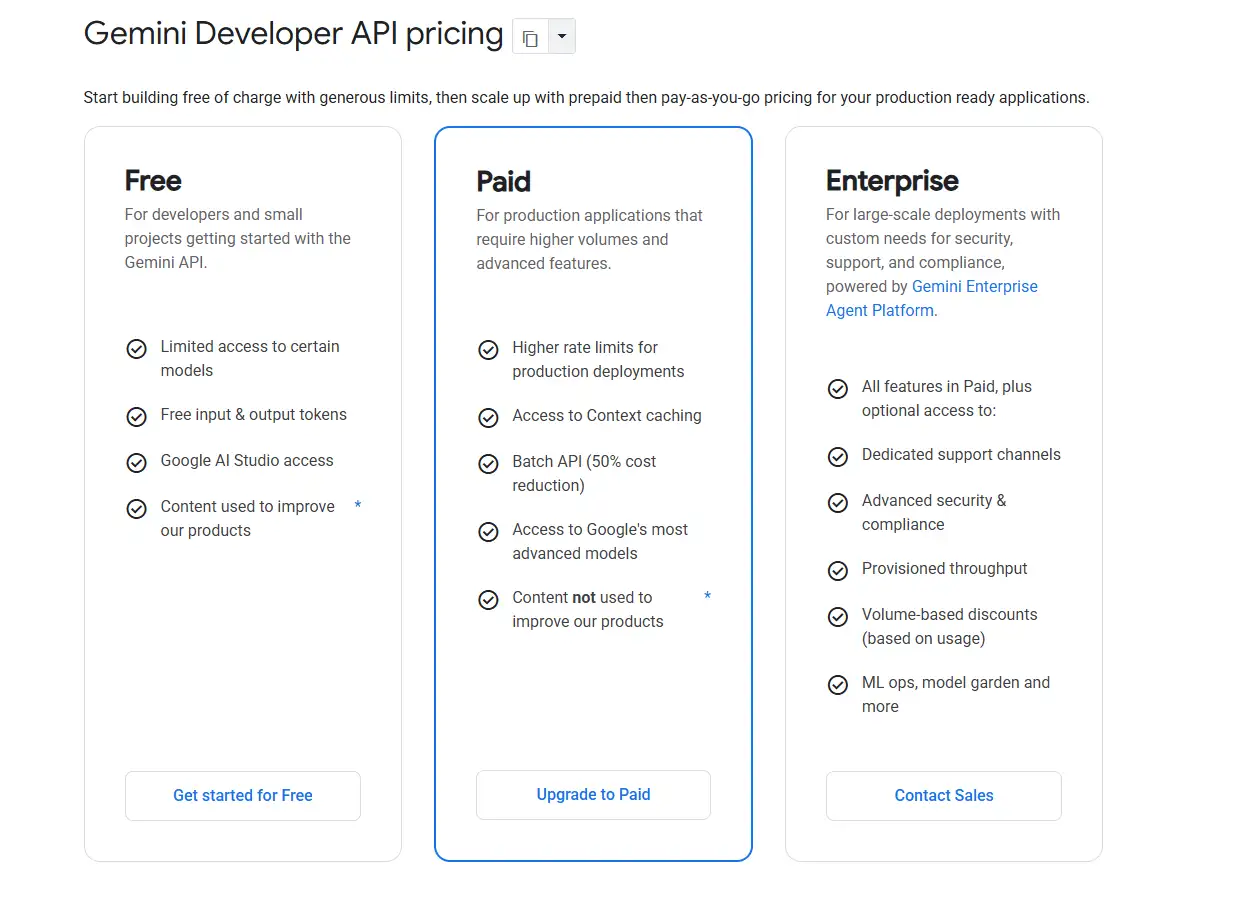
Yes, the Gemini API can be used for free. Google offers a Free Tier that is suitable for API testing, learning development, and small projects. Some Gemini models can be called for free, and you can also get started directly through Google AI Studio.
However, the Free Tier has model and Rate Limit restrictions. If you need higher usage limits, Batch API, Context Caching, or a production environment, you can upgrade to the Paid Tier.
If you want to learn about other ways to use Gemini for free beyond the API, see our Guide to Using Google Gemini for Free. Students can also check the Gemini Free Plan for College Students. These options are different from the Gemini API Free Tier.
How to Reduce Gemini API Cost?
The most effective way to reduce Gemini API cost is not simply to look for the cheapest model, but to reduce unnecessary high-priced Tokens. For long-term or high-frequency usage, prioritizing Model Routing, Batch, Context Caching, and Output control is usually more direct than simply changing how you purchase API access.
| Saving Method | How to Use It | Cost Effect |
|---|---|---|
| Route Requests by Difficulty | Send simple tasks to Flash-Lite, use Gemini 3.7 Flash for standard tasks, and call Pro only for complex Coding and deep reasoning | Avoid paying Pro's higher Token rates for every request |
| Use Batch | Batch translation, classification, data extraction, evaluation, and other non-real-time tasks | Input and Output prices for many Gemini models can be reduced by about 50% |
| Use Context Caching | Reuse the same System Prompt, PDF, knowledge base, Tool Definitions, or codebase Context | Gemini 3.7 Flash Cached Input currently costs only 10% of regular Input |
| Limit Output and Thinking | Limit Output when long answers are unnecessary, and avoid unnecessary long explanations and high-intensity Thinking for simple tasks | Directly reduce the more expensive Output Tokens and Thinking Tokens |
| Compress Conversation History | Summarize older Conversation History instead of resending the full conversation with every request | Reduce repeated Input Tokens in each request |
| Count Tokens Before Sending | Use count_tokens to check Prompts, PDFs, and other large Context before sending the actual request |
Identify oversized Prompts in advance and avoid unexpectedly high Input Cost |
| Control Google Search Usage | Use Google Search Grounding only when real-time information is actually needed | Avoid additional Search Request charges after the free allowance is exhausted |
Model Routing is usually the best place to start. Gemini 3.7 Flash currently costs $0.75/$3.75 for Standard Input / Output, while Gemini 3.1 Pro Preview costs $2/$12 for Prompts within 200K Tokens.
If large numbers of simple requests are also sent to Pro by default, costs can rise quickly. A more practical approach is to let Flash or Flash-Lite handle everyday tasks and upgrade to Pro only when the quality is clearly insufficient.
Batch offers the clearest fixed discount. Using Gemini 3.7 Flash as an example, Standard currently costs $0.75/$3.75, while Batch costs $0.375/$1.875, cutting both Input and Output prices by 50%. If a task can wait, such as batch translation, product data processing, or model evaluation, there is no need to pay Standard rates for immediate responses.
Caching is better suited to projects with large amounts of repeated Context**.** Gemini 3.7 Flash currently charges $0.75/1M Tokens for regular Input, while Cached Input costs only $0.075/1M.
For applications that repeatedly process the same System Prompt, knowledge base, or codebase, the real optimization often lies not in changing the model, but in avoiding paying the full Input Price to process the same content every time.
Also, do not overlook Output and Tool Cost. Gemini 3.7 Flash's Output price is currently five times its Input price, and the Output Price already includes Thinking Tokens. Google Search Grounding is also billed separately once the shared free allowance for Gemini 3.x Paid Tier is exhausted.
Limiting unnecessary long outputs, shortening Conversation History, and enabling Search only when up-to-date information is required can further reduce long-term costs.
A more practical order: control Tokens first, then adjust the Processing Mode, and only then consider switching models. For many projects, wasted budget does not come from Gemini API pricing itself, but from repeated Context, overly long Output, and unnecessary calls to expensive models.
Finally, make sure you actually need an API. If you need to integrate Gemini into a website, App, or automated workflow, the Gemini API is the right choice. If you mainly use Gemini on the web for writing, research, Coding, or image generation, Gemini Pro may be more suitable because you only need to pay a fixed monthly fee.
At GamsGo, we offer Gemini API options at highly discounted prices, with savings of up to 90%. If you want to reduce your costs, check out the available options on GamsGo.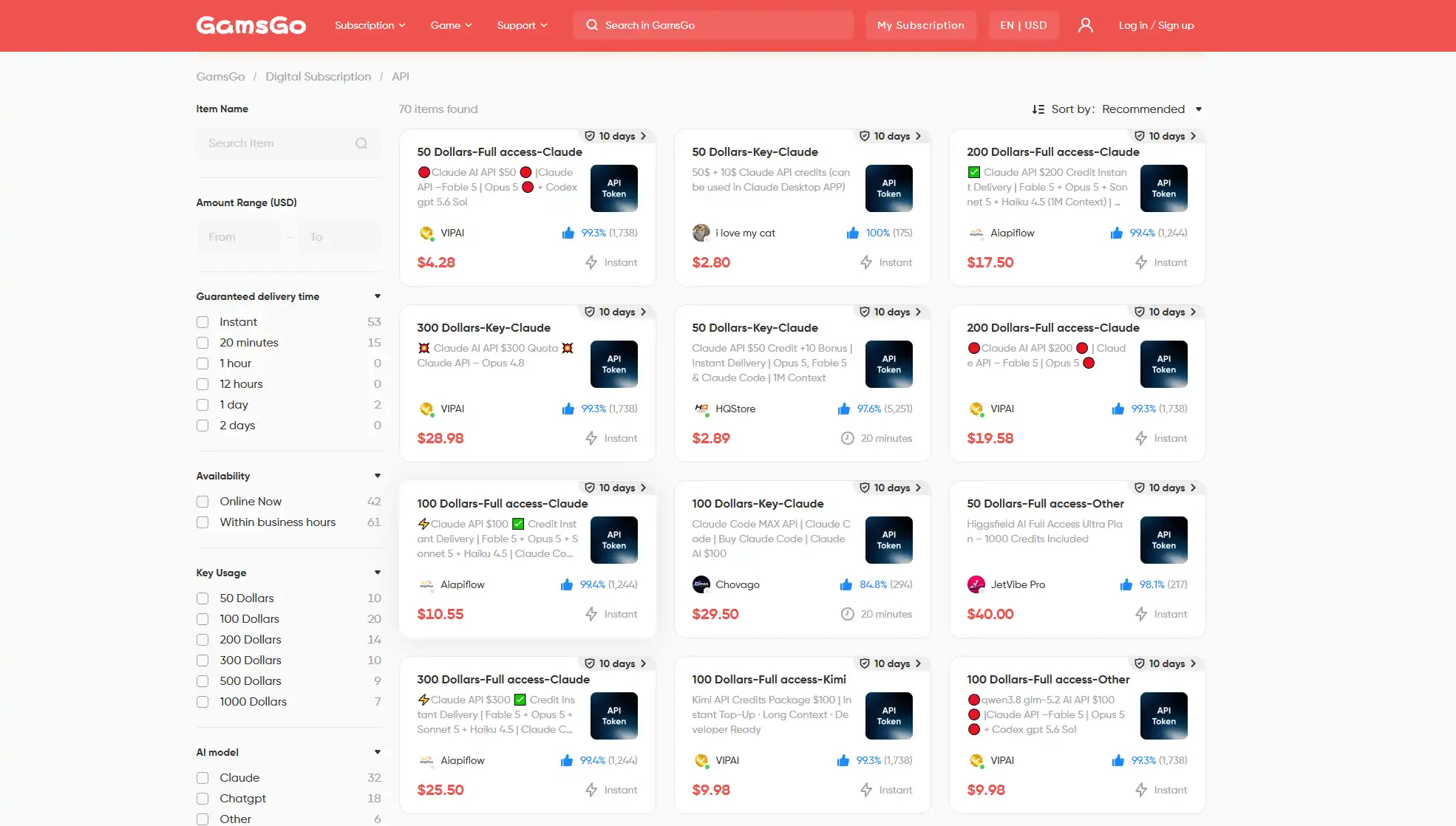
Want to Reduce Your Gemini API Costs Even Further?
If your use case does not require programmatic API access, you can compare different Gemini Pro plans and subscription periods on GamsGo, with some offers currently available at discounts of up to 90%.
View GamsGo Gemini API Deals
Conclusion
The most important thing about Gemini API pricing is not memorizing every price, but understanding the three layers of cost: the model determines the base rate, the Processing Mode determines the request price, and actual Tokens, Caching, and Tool Usage determine the final bill.
When planning your budget, first run a batch of requests using your own real Prompts, compare the cost and reliability of each successful task, and then decide which model to use before scaling up. This is more practical than simply looking for the lowest $/1M Tokens rate.
If the official Gemini API pricing or payment options do not fit your budget, you can check theGamsGoGemini API deals below. Some plans offer savings of up to 90%. Compare the current price, usage allowance, and delivery terms first, then choose the option that best fits your long-term needs.
✅ Code "SAVE60" Copied!
FAQ
Is the Gemini API Free?
Yes. Google offers a Gemini API Free Tier, allowing some models to use a certain amount of Input and Output Tokens for free. You can also test the API through Google AI Studio.
Which Gemini API Model is Best for Most Users?
Gemini 3.7 Flash is currently a better default choice for most new projects. It can handle Coding, AI Agents, multimodal analysis, search, and general AI applications, while costing less than Gemini 3.1 Pro.
Which Gemini API Model is the Cheapest?
Among the main general-purpose models listed in this article, Gemini 2.5 Flash-Lite costs $0.10/1M Tokens for Standard Text, Image, and Video Input, and $0.40/1M Tokens for Output.
Which is Better: Gemini 3.7 Flash or Gemini 3.1 Pro?
Gemini 3.7 Flash should be the first choice for most tasks. Gemini 3.1 Pro is better suited to complex reasoning, large codebase analysis, advanced Coding, and complex Agent workflows, but its API pricing is also significantly higher.
Does Google Search Cost Extra With the Gemini API?
Gemini 3.x Paid Tier currently includes 5,000 shared free Google Search Requests per month. After that, the price is $14/1,000 requests, and a single Gemini request may trigger multiple actual searches.
Are the Gemini API and Gemini App the Same?
No. The Gemini App is designed for regular users who want to use AI directly, while the Gemini API is intended for developers who need to integrate Gemini models into websites, software, AI Agents, or other products.
Which Gemini API Model is Best for Coding?
For most Coding tasks, Gemini 3.7 Flash offers a better balance. If you need to analyze large codebases, handle complex Debugging, work on software architecture, or perform advanced reasoning, you can consider Gemini 3.1 Pro.
Related Articles
How to Get ChatGPT Plus for Free in 2026
Seedance 2.5 Prices: Is the Subscription Worth It?
LinkedIn Premium Cost in 2026: All Plans, Prices and How to Get 80% Off