
If you are searching for Meshy AI cost, you are likely comparing its pricing plans and looking for the most cost-effective way to access premium features.
If you are searching for Meshy AI cost, you are likely comparing its pricing plans and looking for the most cost-effective way to access premium features.
Meshy AI is an AI-powered 3D model generation tool that enables the rapid creation of 3D models from text prompts or images. As it operates on a credit-based system—with subscription plans differing in credit allocation, feature access, and generation speed—many users wish to understand the pricing structure before making a purchase.
This guide covers Meshy AI pricing plans, credit usage, free plan limitations, and Meshy AI free trial availability. We will also compare different ways to get a Meshy AI discount and find a cheaper Meshy AI subscription option.
For those who mainly want to keep costs down, GamsGo is one practical way to get a cheap Meshy AI account.

What Is Meshy AI?
Meshy AI is an AI-powered 3D generation tool that allows users to create 3D models from text prompts and images. It helps creators quickly turn ideas into 3D assets without requiring advanced modeling skills.
With Meshy AI, users can generate 3D models, apply AI-generated textures, refine existing assets, and export models for creative projects such as game development, product design, and 3D prototyping.
For users who create 3D assets regularly, understanding Meshy AI’s features and pricing options is important before choosing a subscription plan.
Meshy AI Pricing 2026: Complete Plan Comparison
Choosing the right Meshy AI plan is about more than just the monthly fee—it’s about finding the right balance of generation credits, download limits, and premium features.
The table below outlines costs and credits before we break down specific capabilities.
| Plan | Monthly Price | Monthly Credits | Approx. Cost Per Credit | Best For |
|---|---|---|---|---|
| Meshy AI Free | $0/month | 100 credits | Free | Beginners, testing, light use |
| Meshy AI Pro | $20/month | 1,000 credits | About $0.02/credit | Solo creators, indie developers, regular users |
| Meshy AI Premium | $40/month | 3,000 credits | About $0.013/credit | Frequent creators who need more monthly output |
| Meshy AI Ultra | $100/month | 10,000 credits | About $0.01/credit | Heavy individual users and high-volume workflows |
| Meshy AI Studio | From $60/month or seat-based team pricing | Team credits vary by setup | Depends on package | Small teams, studios, and collaborative projects |
| Enterprise | Custom pricing | Custom | Custom | Large companies, advanced support, custom needs |
While upgrading clearly reduces your cost per generation, the recurring monthly fees can still strain an independent creator's budget. The real hurdle isn't just the math—it's paying the steep official price required to finally unlock essential features like Meshy 6 exports, API access, and private commercial rights.
Meshy AI Free — $0/Month
Price: $0/month · Credits: 100/month · License: CC BY 4.0 (attribution required)
What It Can Do
The Free plan is a real product, not a demo — but its limits are placed exactly where commercial work begins. Here's what you get and where each wall stands:
| Capability | Free plan reality |
|---|---|
| Monthly credits | 100 (≈5 Meshy 6 generations or 10 Meshy 5 generations) |
| Text-to-3D / Image-to-3D | ✅ |
| Meshy 6 access | Preview only — no downloads |
| Meshy 5 download | ✅Allowed (Meshy 4 retired in March 2026) |
| Private ownership | ❌CC BY 4.0 — commercial use requires public credit to Meshy |
| Concurrent tasks | 1, on a low-priority queue |
| Free retries | ❌ |
| API access | ❌Blocked |
| Credit top-ups | ❌ |
Students, hobbyists, and anyone evaluating output quality before committing money. It's a fair testing ground and a poor production tool.
Meshy AI Pro — $20/Month
Price: $20/month, or $240/year · Credits: 1,000/month · Concurrent tasks: 10 · Free retries: 4
What It Can Do
Pro is the tier where Meshy becomes a production tool, and the clearest way to see that is by comparing it to the free tier it replaces:
| Capability | 🆓 Free | ⭐ Pro |
|---|---|---|
| Monthly credits | 100 | 1,000 |
| Meshy 6 download | ❌ Blocked | ✅ Unlimited |
| Private ownership | ❌ CC BY 4.0, attribution required | ✅ Full commercial rights |
| Generation speed | 🐢 Low-priority queue | ⚡ ~60% faster |
| Concurrent tasks | 1 | 10 |
| Free retries | ❌ 0 | ✅ 4 |
| API access | ❌ | ✅ |
| Multi-view Image-to-3D | ❌ | ✅ |
| Animation presets | ⚠️ Limited | ✅ 600+ |
| Community model downloads | ❌ | ✅ |
Solo creators, indie developers, and anyone needing private commercial rights. It's a solid baseline for standard production, but a bottleneck for high-volume scaling.
Meshy AI Premium — $40/Month
Price: $40/month · Credits: 3,000/month · Concurrent tasks: 30 · Free retries: 12
What It Can Do
Premium keeps every Pro feature intact and scales the numbers that constrain heavy users. The upgrade is best understood as a throughput purchase, not a feature purchase:
| Capability | ⭐ Pro | 🚀 Premium |
|---|---|---|
| Monthly credits | 1,000 | 3,000 ⬆️ |
| Approx. Meshy 6 generations | ~50 | ~150 |
| Cost per credit | ~$0.02 | ~$0.013 🏆 |
| Concurrent tasks | 10 | 30 ⬆️ |
| Free retries | 4 | 12 ⬆️ |
| Creative Lab free designs | ❌ | ✅ 4 per day |
| Early access to new features | ❌ | ✅ |
Active asset sellers, one-person studios, and frequent creators who iterate heavily. It's the most cost-effective engine for batch production, but likely overkill for occasional use.
Meshy AI Studio — From $60/Seat/Month
Price: from $60/seat/month (annual billing; around $70/seat billed monthly) · Credits: 5,500–28,000 depending on tier · Concurrent tasks: 60 · Free retries: 24
What It Can Do
Studio changes the unit of account from a person to a team, which fixes the main problem with stacking individual subscriptions:
| Capability | Individual plans | 👥 Studio |
|---|---|---|
| Credit model | ❌ Locked to one account | ✅ Pooled across the team |
| Credit range | 1,000–8,000 | 5,500–28,000 (choose a tier) |
| Shared workspace | ❌ Personal only | ✅ Team asset management |
| Concurrent tasks | Up to 100 | 60 ⬇️ |
| Free retries | Up to 40 | 24 ⬇️ |
| API access | ✅ Full (Pro and above) | ⚠️ Limited |
| Asset retention | Standard | ⚠️ 14 days |
Small studios, collaborative teams, and agencies sharing workloads. It's a highly efficient hub for pooled resources, but a restrictive environment for long-term asset storage.
Meshy AI Ultra — $100/Month
Price: $100/month · Credits: 8,000/month · Concurrent tasks: 100 · Free retries: 40
What It Can Do
Ultra is the ceiling for individual accounts, and its appeal is parallel scale rather than any exclusive feature:
| Capability | 🚀 Premium | 💎 Ultra |
|---|---|---|
| Monthly credits | 3,000 | 8,000 ⬆️ |
| Approx. Meshy 6 generations | ~150 | ~400 |
| Cost per credit | ~$0.013 | ~$0.0125 ➡️ |
| Concurrent tasks | 30 | 100 ⬆️ |
| Free retries | 12 | 40 ⬆️ |
| Creative Lab free designs | 4 per day | 12 per day ⬆️ |
Full-time asset sellers, high-volume solo developers, and technical artists scaling via API. It's an absolute powerhouse for massive batch generation, but a poor financial choice if team collaboration is needed.
Meshy AI Enterprise — Custom Pricing
Price: custom (wire transfer available) · Credits: custom · API: full access, 100+ requests/second
What It Can Do
Enterprise is a negotiated contract rather than a plan, so the relevant comparison is against Studio's technical ceilings:
| Capability | 👥 Studio | 🏢 Enterprise |
|---|---|---|
| Credits | Tiered packages | ✅ Fully custom |
| API access | ⚠️ Limited | ✅ Full, 100+ requests/second |
| SSO | ❌ | ✅ |
| Multi-workspace management | ❌ | ✅ |
| Asset retention | ⚠️ 14 days | ✅ Permanent |
| Dedicated support | ❌ Standard | ✅ |
| Wire transfer payment | ❌ Card only | ✅ |
Large organizations, product integrators, and teams with strict IT or archival requirements. It's the ultimate solution for security and compliance, but an unnecessary complication for standard team collaboration.
How Meshy AI Credits Work: Usage And Value Explained
Meshy AI uses credits as the main usage system. Monthly credits reset with your billing cycle, and unused monthly credits do not carry over. Different tasks consume different amounts of credits. The main costs are based on the generation steps, not the final number of models.
| Task | Meshy Version | Credit Cost |
|---|---|---|
| Model Stage (Text to 3D / Image to 3D) | Meshy 6 | 20 credits |
| Texture / Retexture (AI Texturing) | Meshy 6 | 10 credits |
| Model Stage(Text to 3D / Image to 3D) | Meshy 5 | 10 credits |
| Remesh | Any | 0 |
| Rigging | Any | 0 |
| Animation | Any | 0 |
| Failed or canceled task | Any | 0 |
Basically, Meshy only uses credits for two things: generating the model and generating textures. Everything that comes after that, such as Remesh, Rigging, and Animate, is free.
So what really determines how much you can create each month is how many times you regenerate a model or experiment with different texture versions.
Does Meshy AI Offer Free Trial 2026
No, Meshy AI does not offer a traditional free trial, but users can still access the platform for free through the Free plan, which includes monthly credits and additional ways to earn more credits. Meshy AI Free users receive 100 credits every month, which reset automatically on the first day of each month. Users can check available credit rewards from the “Get Free Credits” section on the Meshy subscription page.
Besides the monthly Free credits, Meshy offers additional ways to earn credits through community activities. For example, connecting your Meshy account with Discord can provide 100 bonus credits, while featured community creations can earn 50 credits per selected model. Users can also earn credits through other activities listed in the reward section when available.
These extra credits can help Free users extend testing and explore more generations. However, users with regular production needs will still require a paid plan for higher limits and advanced features.
Is Meshy AI Worth The Cost?
Yes, Meshy AI is worth the cost if it helps you create 3D assets faster and reduces production time. For users who rely on AI 3D generation, the value comes from saving time, not just the subscription price.
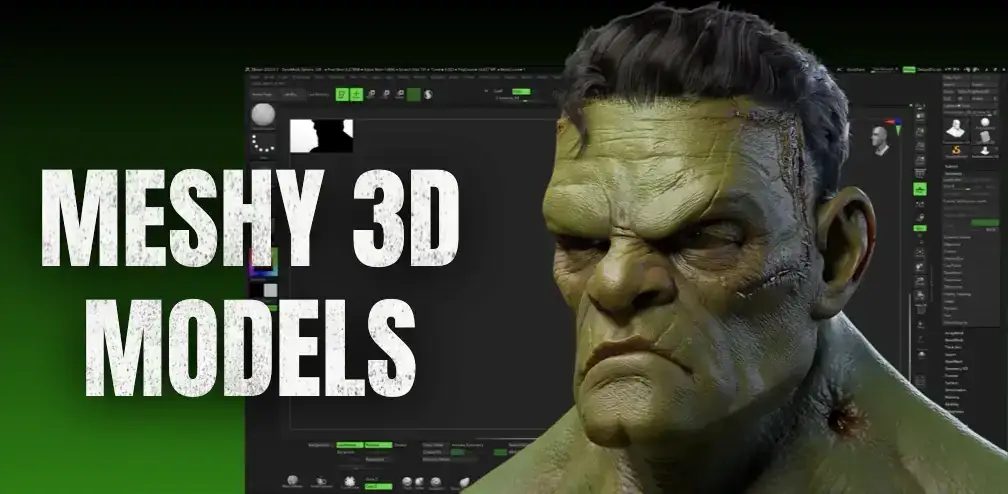 The real question is simple: does Meshy AI create enough value to justify the monthly cost?
If the answer is yes, choosing the right plan becomes the next step.
Who Should Buy Meshy AI Pro?
Buy Meshy AI Pro if you use Meshy for regular 3D creation. For users who create assets frequently, Pro provides enough capacity and features to support a consistent workflow.
Pro is designed for users who need more than basic testing, including creators working on commercial projects or workflows that require API access and private asset ownership. Meshy’s official pricing includes 1,000 monthly credits, API access, private asset ownership, faster generation, and 10 concurrent tasks on the Pro plan.
If Meshy replaces hours of manual 3D work each month, the subscription cost is easier to justify.
Who Should Stay With Meshy AI Free?
Meshy AI Free is the right choice for users who create 3D models occasionally, learn AI 3D tools, or only need basic testing.
The Free plan provides 100 monthly credits with no credit card required, which is enough for exploring Meshy before paying for a subscription.
Users who do not need frequent generations, API access, or production-level workflows should stay with Free. Upgrade only when your projects require more usage.
How To Subscribe To Meshy AI Pro At A Lower Price?
If Meshy AI Pro feels expensive, a lower-cost subscription option can help you access premium features while reducing your monthly expense.
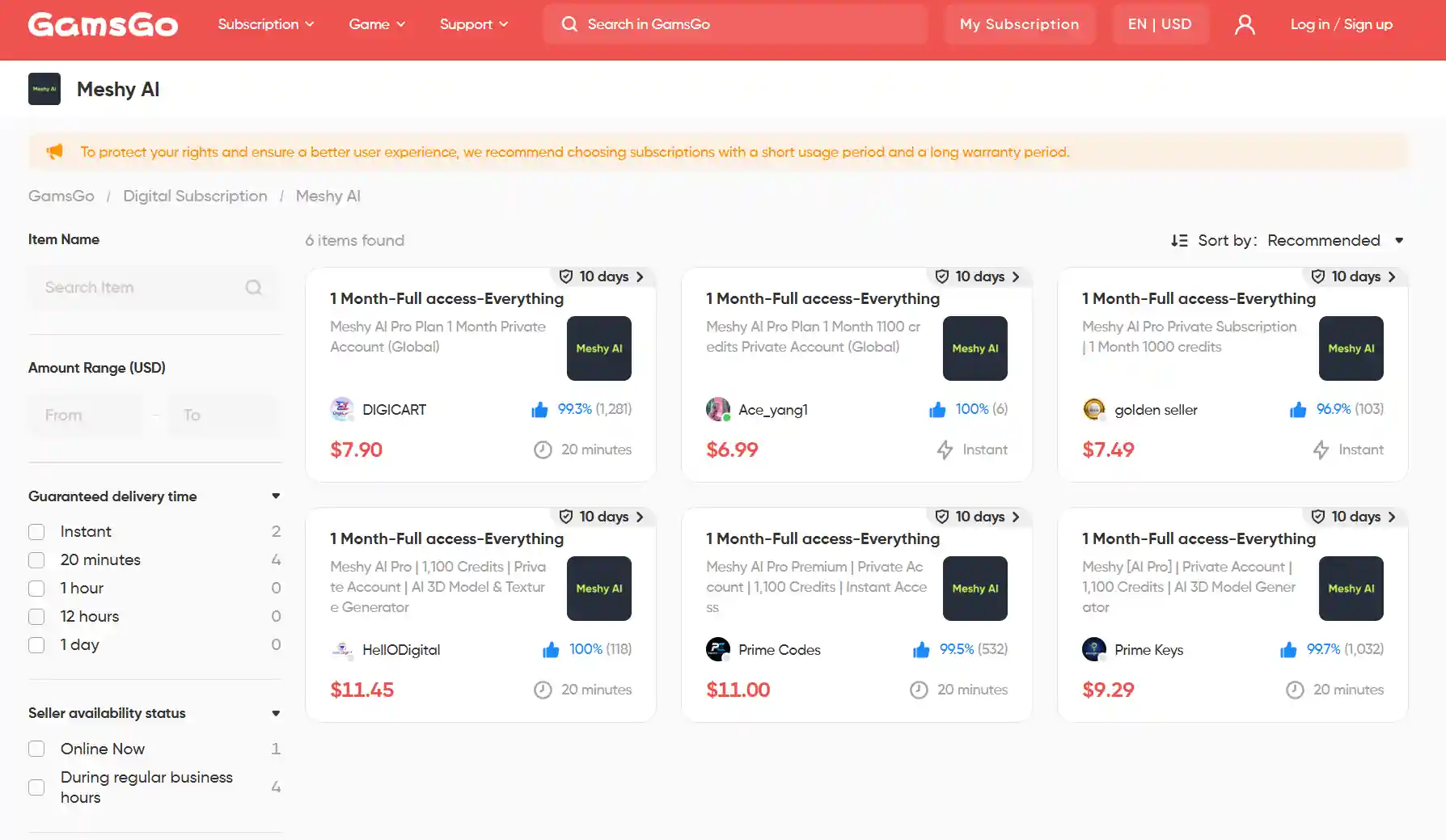
The official Meshy AI Pro price is $20/month, while some alternative subscription platforms offer lower-cost access. For example, GamsGo provides Meshy AI Pro access at a lower price, helping users save around 60.5% compared with the official monthly cost.
GamsGo focuses on making digital subscriptions more affordable with clear pricing, fast activation, and customer support. This allows users to reduce subscription costs without spending time searching for complicated purchase options.
For users who want Meshy AI Pro features but want better control over subscription expenses, GamsGo is a practical option to compare. Beyond Meshy AI, the platform also provides affordable solutions for other popular digital subscription services.
Conclusion
Meshy AI is a powerful AI 3D generation tool, but the right subscription depends on how often you create assets and what features you need. The Free plan works well for testing, while paid plans provide more credits, stronger workflow support, and advanced features for regular users.
If you want Meshy AI Pro features but want to reduce your subscription cost, exploring a trusted lower-cost subscription option can be a practical choice. GamsGo provides more affordable access to popular digital subscriptions with clear pricing and a simple purchasing process, helping users manage their subscription expenses more efficiently.
Whether you are using Meshy AI for personal projects, creative work, or professional production, choosing the right subscription method can help you get more value from your investment.
✅ Code "SAVE60" Copied!
FAQ
Is Meshy AI Free To Use?
Yes. Meshy AI offers a Free plan with 100 credits per month and no credit card required. It is suitable for testing AI 3D generation, but users who need more usage, downloads, or advanced features may need a paid plan.
Does Meshy AI Offer A Free Trial?
Meshy AI does not offer a traditional Pro free trial. Instead, users can try the Free plan with monthly credits before deciding whether to upgrade to a paid subscription.
How Much Does Meshy AI Cost Per Month?
Meshy AI pricing depends on the plan you choose. The Free plan costs $0, while paid plans start from Pro at $20/month. Higher tiers provide more credits and additional features for heavier users.
Is Meshy AI Pro Worth Paying For?
Meshy AI Pro is worth paying for if you create 3D assets regularly and need more credits, faster workflow, API access, or private asset ownership. For occasional users, the Free plan may be enough.
How Can I Get Meshy AI Pro Cheaper?
You can reduce Meshy AI cost by comparing official promotions, annual plans, and trusted subscription platforms. Services likeGamsGoprovide a lower-cost option for users who want premium subscriptions at a more affordable price.
You Might Also Like:
How to Get Claude Pro for Free in 2026 (11 Proven Ways)
Grok Student Discount 2026: Is It Still Available?
Claude vs Gemini 2026: Which AI Assistant Is Better?
What Is Claude Cowork? Everything You Need to Know