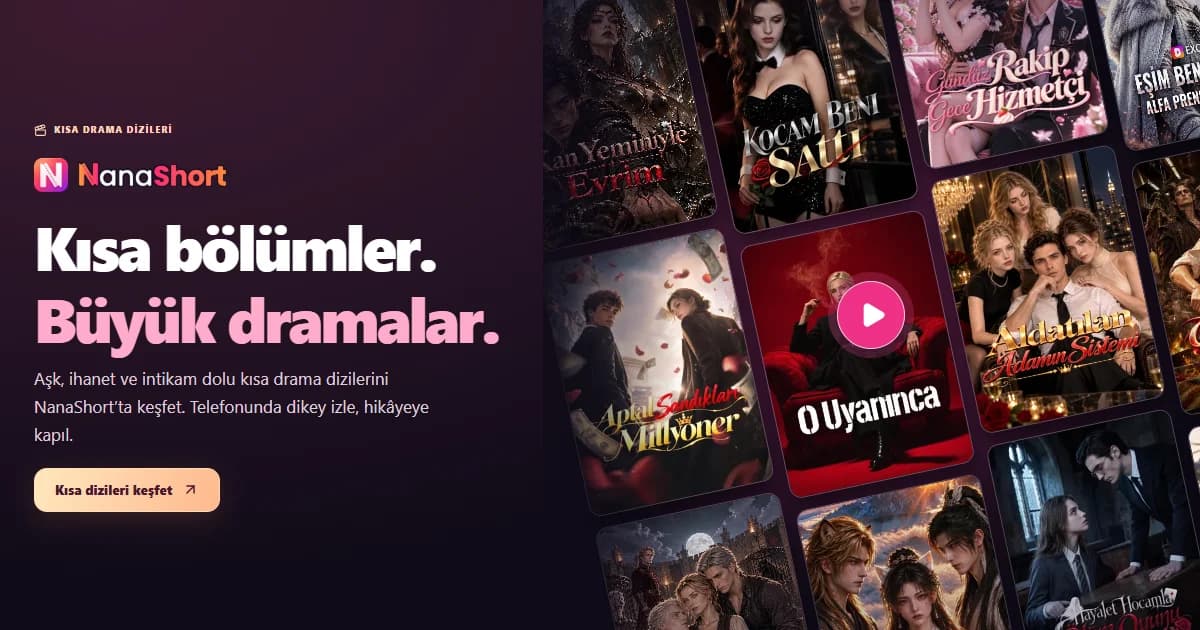
Short episodes, big drama: discover NanaShort. A practical guide to personal accounts, languages, coins and VIP for viewers exploring ReelShort, DramaWave and NetShort alternatives.
Short episodes. Big drama. A hidden identity, a family secret, a relationship that changes after one unexpected encounter: short drama series bring an ongoing story to a smaller part of your day. NanaShort is a platform for discovering these stories in a vertical format designed for phone screens.
You may have discovered short dramas through ReelShort, DramaWave or NetShort. This guide explains what NanaShort offers, how to start watching, why your personal account matters and which details to check before choosing an episode or membership. It focuses on the viewing experience rather than assuming that different services have identical catalogues.
Discover short drama series on NanaShort →
What is NanaShort?
NanaShort is a platform for watching short drama series in a vertical format. Instead of unrelated social clips, you follow a story that continues from one episode to the next. Characters, relationships and unresolved events carry forward, so the next episode develops what you have already watched.
The catalogue includes themes such as romance, betrayal, revenge, family secrets, hidden identities and fantasy. Choose an emotional relationship story when you want something personal, or explore a fantasy setting when you want a different world. The right starting point is the story that interests you, not simply a platform name you recognise.
Browse the current catalogue before deciding. A title advertised elsewhere may have a different translated name or may not be available on NanaShort. Similar viewing formats do not establish that two platforms carry the same programmes.
What are short dramas, mini dramas and vertical series?
A short drama tells a continuing story through short episodes. A vertical series refers to the picture format: it is designed for watching with your phone held upright. The term mini drama is also used for this category, although a traditional television miniseries can mean something different.
The screen shape may feel familiar from Reels and other short-video feeds. The key distinction is continuity: you are following episodes of one story rather than moving between unrelated clips. Episode lengths and total episode counts vary by production; there is no single duration that describes every series.
You can watch an episode during a break or continue through several episodes when you have more time. That flexibility is part of the appeal. Check the episode list and access information so that you understand how to continue before becoming invested in a particular story.
Considering NanaShort alongside ReelShort, DramaWave and NetShort
Searching for a ReelShort alternative, dramas like DramaWave or an app like NetShort often starts with the same preference: short, continuing stories that work well on a phone. NanaShort belongs in that viewing category, but the services should be evaluated separately.
ReelShort
ReelShort describes vertical series and short episodes in its official app listing. If that format appeals to you, explore NanaShort’s catalogue too. A similar format does not mean that titles or memberships are shared.
DramaWave
DramaWave presents dramas and reels designed for a vertical screen. When comparing it with NanaShort, check the specific series you want and the language options shown for that production.
NetShort
NetShort also focuses on short dramas for mobile viewing. Compare the story selection, account access and episode or membership terms that matter to you, rather than relying on brand recognition alone.
The useful comparison is practical: can you find the story, understand the audio or subtitles, use your own account and see the final purchase terms? This guide does not claim that NanaShort is always cheaper or carries every title from another service. Those statements would require current, equivalent product comparisons.
What is the NanaShort viewing experience?
- Short dramas first: Browse continuing stories built around short episodes.
- Vertical viewing: Watch in a picture format suited to an upright phone.
- Your own account: Sign in to your personal NanaShort account rather than receiving someone else’s shared login.
- Website and app: Start in a computer or mobile browser; use the official app links offered for your device.
- Choose with context: Read the synopsis, episode list and language information before you commit to a series.
Searching within the catalogue gives you a more useful starting point than trying to rediscover a particular social-media advertisement. Look at the poster and synopsis together; a dramatic clip may show only one moment in a much longer story.
How to use NanaShort: a simple starting guide
- Open the official website. Visit nanashort.com. A phone user does not need a computer or a QR code to open the site.
- Browse or search. Explore the home page and discovery areas, then open a series that interests you.
- Read the series details. Check the synopsis, episode list and available audio or subtitles.
- Try available episodes. Episodes marked free can help you decide whether the story suits your taste.
- Sign in to your account. Use an available email, Google or Apple sign-in option. Use the same account when changing devices.
- Review access options if needed. Before confirming a purchase, read the coin cost or eligible VIP plan, its scope and the final amount.
NanaShort is a separate viewing service with its own website, app and account. Opening it is different from launching another product through Nanazon Desktop. Having a different Nanazon package does not automatically activate NanaShort membership.
Personal accounts, free episodes, coins and VIP are different things
Personal account or guest access
You sign in with your own NanaShort account. Guest access is not the same as a registered account: guest activity can remain tied to that installation. Do not assume that guest progress will automatically move to a different device. A personal account is also not a promise of simultaneous streaming on multiple devices; consult the current active-device rules.
Episodes marked free
Free episodes can be watched without unlocking them. That does not make every episode of every series free. Review the episode list, and check the choices offered when you reach a locked episode.
Coins and individual unlocks
Coins are an in-platform balance used for eligible episode unlocks. Unlocking one episode does not mean unlocking the full series or the entire catalogue. Any reward tasks or ad-supported unlocks have their own displayed conditions. Coins should not be treated as cash that can be withdrawn.
VIP membership
A VIP plan has the duration and access scope shown for that product. Check the final price, currency and any renewal conditions before payment. A coin package, an individual episode and a VIP membership are different purchases. Manage a subscription through the channel where it was purchased and use the instructions shown there.
For current help, visit the NanaShort FAQ. The purchase screen remains the place to confirm what a specific offer includes.
Audio, subtitles and devices: what to check
Interface language and programme language are separate. English menus do not establish that every series has English audio; the same applies to Turkish and Russian. Check each production’s available dubbing and subtitles before starting.
The website currently offers English, Turkish and Russian interface options; the app’s current interface options are Turkish and Russian. These do not imply that every production is available in all of those languages. Use the current series and app screens to confirm the choices.
The website works in computer and mobile browsers. When choosing an app, follow the official links on NanaShort’s website rather than assuming that an app with a similar name is the same service. Signing in to the same account on another device and watching on several devices simultaneously are different questions.
How to choose your first short drama
Start with a theme. Romance and family secrets suit viewers who enjoy complicated relationships. Revenge stories focus on reversals and confrontations. Fantasy titles offer unfamiliar settings and struggles over power. Then read a synopsis and try the available opening episodes.
Examples present in the Turkish catalogue when this guide was prepared include Kocam Beni Sattı, Gündüz Rakip Gece Hizmetçi and the fantasy title Kan Yeminiyle Evrim. These are examples to explore, not a quality ranking or a guarantee of a particular language or access entitlement.
When looking for something you saw in an advertisement, use the poster, characters and plot as clues as well as the title. Translated names can differ. Always confirm the actual series page rather than assuming that similar promotional clips identify the same programme.
A useful checklist before choosing a platform
- Is the series I want currently available?
- Are the audio or subtitles suitable for me?
- Which episodes are free and which are locked?
- Am I buying coins, an episode unlock or a time-limited membership?
- Are the final price, currency and renewal terms clear?
- Which personal account will I use on another device?
- Can I find the official help and support information?
These questions work when comparing NanaShort with ReelShort, DramaWave or NetShort too. They connect an attractive advertisement to the experience you will actually have after opening the service.
Frequently asked questions about NanaShort
Is NanaShort a social-media app?
Its focus is short drama series that continue episode by episode. The vertical format may resemble Reels, but you are following an ongoing story.
Is NanaShort the same as ReelShort, DramaWave or NetShort?
No. They are separate services. Accounts, coin balances and memberships do not automatically transfer between them. Check each platform’s current catalogue for a particular title.
Is everything free?
No. Episodes marked free may be available without unlocking; locked episodes may require coins or an eligible membership. Read the choices shown for the episode.
Will I receive a shared account?
You use your own NanaShort account. Do not interpret the service as delivery of someone else’s shared password.
How do I find Turkish-dubbed or subtitled dramas?
Check the language options for each production. Turkish dubbing and subtitles are available for selected catalogue titles, not necessarily every series.
Do I need Nanazon Desktop?
No. You can open the NanaShort website directly in your computer browser.
Where should I start?
Open the NanaShort catalogue, choose a story and try its available opening episodes. Review your account, language and access options before purchasing.
Sources and updates
Prepared on 16 November 2026 using NanaShort’s current catalogue, product screens and official FAQ. Platform descriptions were checked against the official app listings for ReelShort, DramaWave and NetShort. Use current product screens to confirm prices and availability.