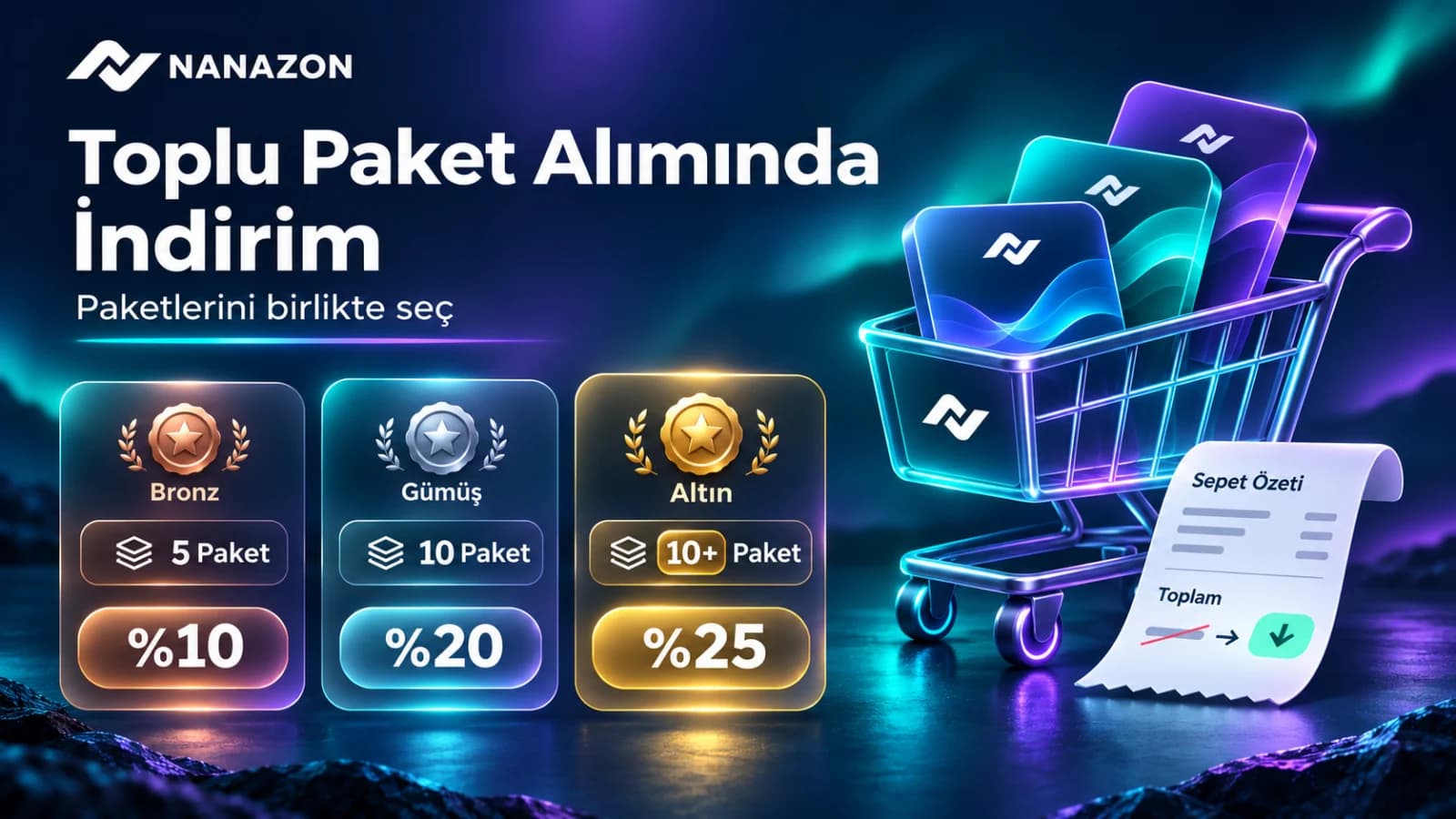
Nanazon’s bulk package promotion offers 10% for 5 packages, 20% for 10 packages and 25% for more than 10. Learn how package selection, automatic discounts and the calculation work.
If your work needs several digital tools, choosing your packages together can help you use your budget more effectively. With Nanazon’s bulk purchase promotion, the discount is calculated automatically during an eligible purchase. You do not need to look for a separate coupon code for this promotion.
Bulk purchase discount levels
| Package count | Discount |
|---|---|
| 5–9 packages | 10% |
| 10 packages | 20% |
| More than 10 packages | 25% |
How to use the discount
- Sign in to your Nanazon account.
- Open the package catalog and choose the packages and access periods you need.
- Add your selected packages to the cart for the same purchase.
- Review the package count, applied discount and final amount in the cart and checkout summary.
- After the discounted amount appears, complete the purchase using an available payment method.
What does automatic discount mean?
No separate application or manually entered discount code is needed for the bulk promotion. The system calculates the discount for an eligible purchase. If you change your package selection, review the updated summary before paying. These are different discount levels: 10%, 20% and 25% are not added together.
Which packages count, and how do coupons work?
Buy 5–9 distinct packages for 10% off, exactly 10 for 20% off, or 11 or more for 25% off. Only separately selected, distinct packages count. Repeating the same package does not unlock a higher tier. Ready-made subscription plans and their included packages do not count, and their plan prices receive no bulk discount. The bulk discount applies to eligible package prices, excluding extra-device fees. If you have a valid coupon, the bulk discount is deducted first, then the coupon applies to the remaining amount. For example, an eligible package subtotal of 100 becomes 90 with a 10% bulk discount, then 72 with a 20% coupon. This example excludes extra-device fees.
How is the discount calculated?
Suppose the eligible amount is 100 units. A 10% discount saves 10 and leaves 90; a 20% discount saves 20 and leaves 80; a 25% discount saves 25 and leaves 75. This example only explains the percentage calculation and is not a quote for a particular package.
A quick check before paying
- Choose packages you will actually use rather than adding unnecessary tools just to increase the count.
- Check the weekly, monthly or annual access periods you selected.
- Read the discount and final amount in the payment summary. If the discount does not appear, contact support before confirming payment.
To plan which tools to use together, read the package details and related usage guides. The bulk promotion helps bring the tools you need into one purchase.
Choose packages · Open my cart